YT
Configuration
User Configs
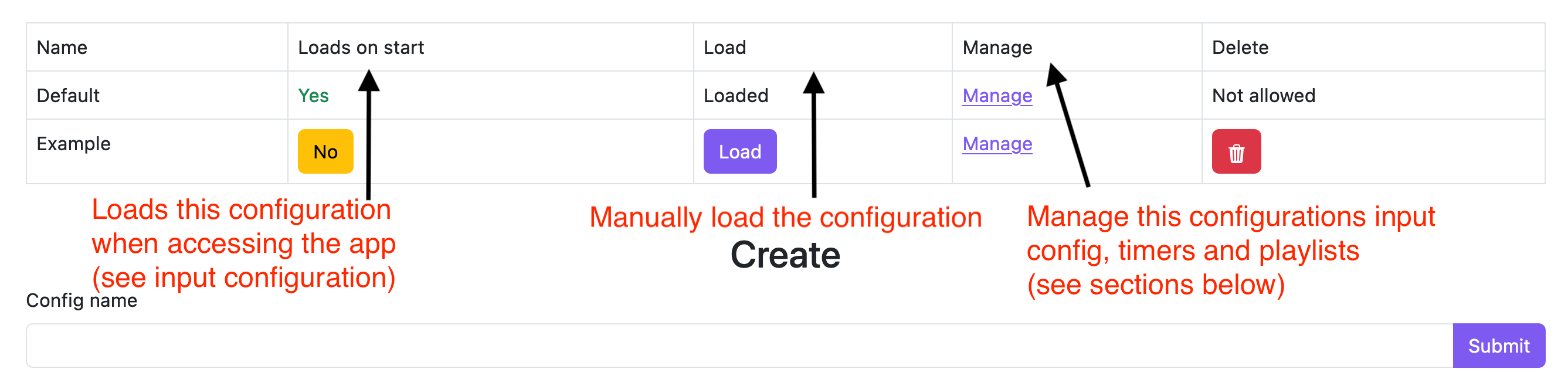
Manage your configurations. Create, delete or update from this section.
Startup configuration
When you visit the site and login/are already authenticated the configuration will load.
see: advanced usage for more info.
Input config

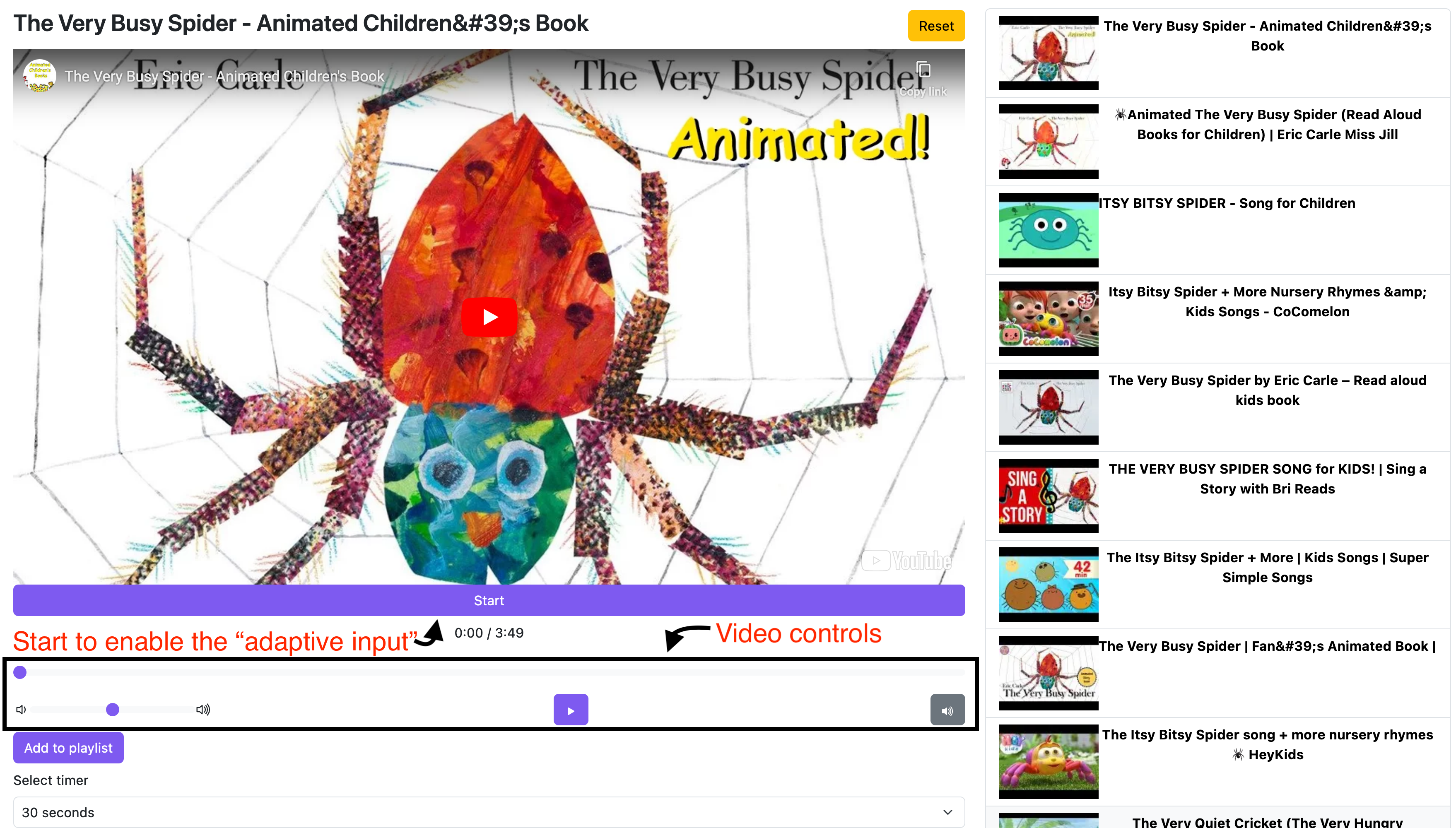
This is the configuration loaded for the "Adaptive Input" which is the name for the screen with prompts for switch/eye gaze/touch input.
See the Adaptive Input section for more details
Timers
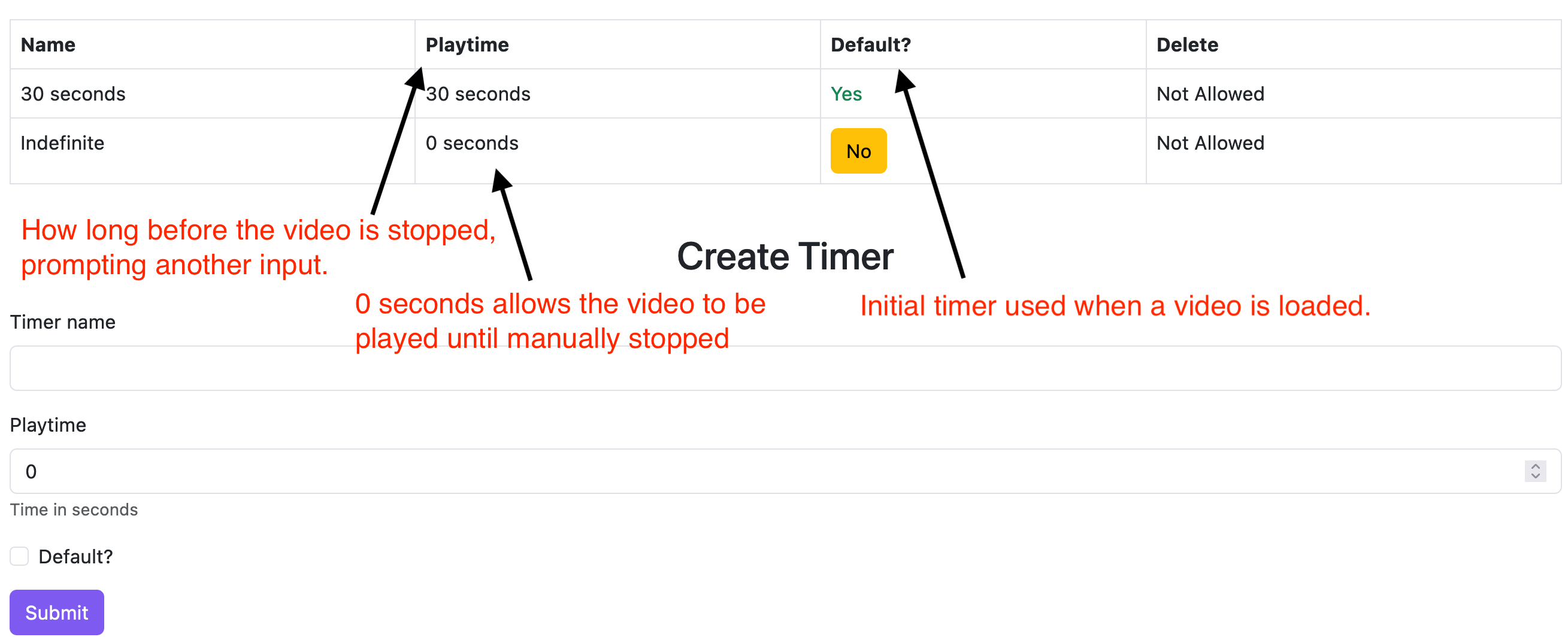
Define how long to play a video before automatic pause.
When using time "Infinite" input starts and stops the video. Otherwise if the video is playing the input does nothing.
Playlist config
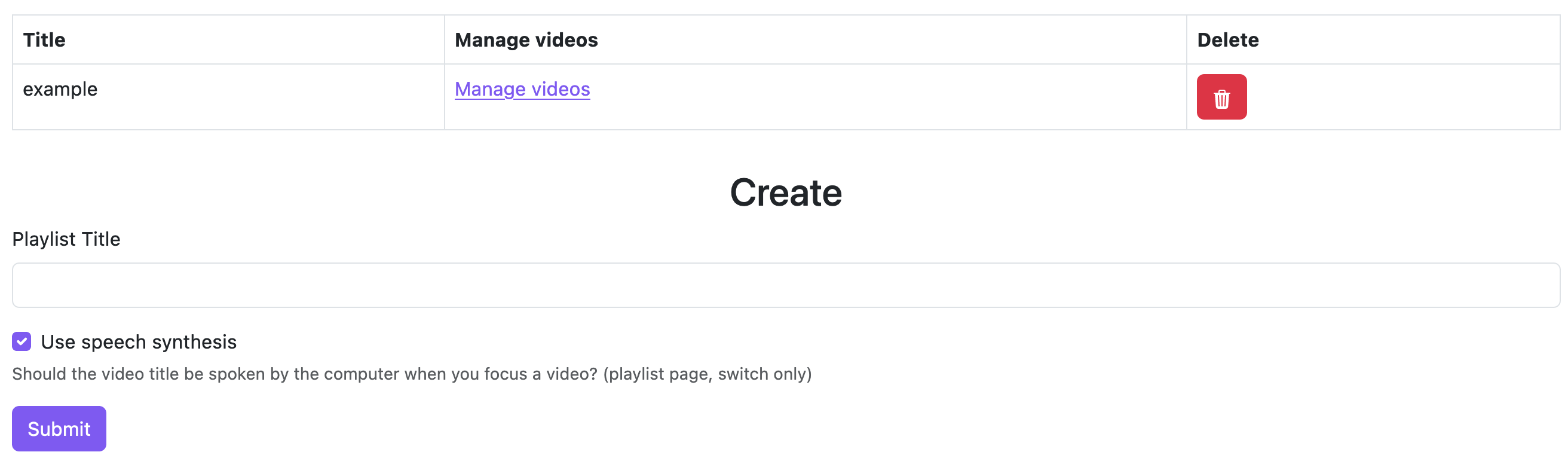
Create and delete playlists. Manage a playlists videos. see Playlist videos
Playlist videos
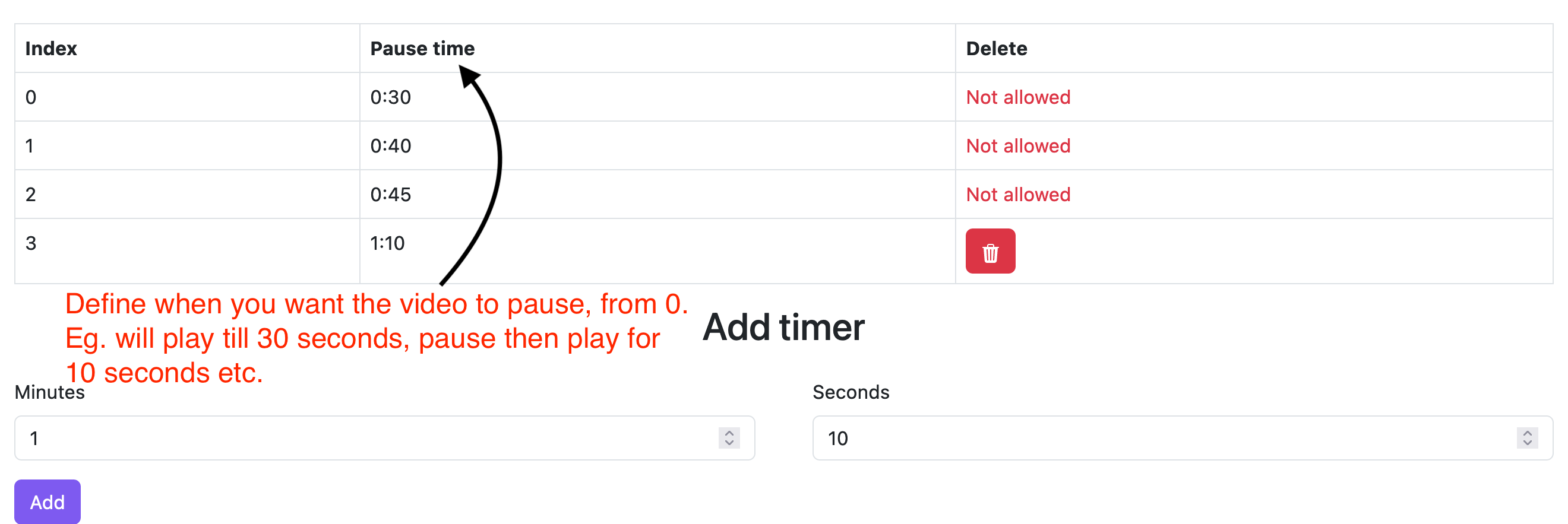
This feature allows you to set custom stop times for a video.
This is useful for things like books. You can see an example of this in the example playlist.
Usage
Playlists

If 2 switch mode is enabled (see Advanced usage) pressing space will select the next video, if speech synthesis is enabled the videos title will be spoken. Pressing enter will select the video.
Videos
Advances usage
2 Switch usage
First, create a playlist and add some videos.
On a playlist page, with a switch input config enabled;
set 1 switch to spacebar and another to enter.
Now you can press the spacebar switch to cycle through the videos in the playlist (If speach synthesis is enabled, it will read the title of the video).
Pressing the enter switch will select the video and launch straight to the input prompt.
Pressing the spacebar will go back to the playlist where you can again cycle through the videos.